tcb-drone measures tree health from aerial photographs from drone flyovers of Tucson Clean and Beautiful planting locations. This project enables automated surveys of tree survival to provide data to improve neighborhood heat resilience.
This git project implements neural networks and machine learning to identify trees and assess tree health. This project leverages TensorFlow to implement machine learning algorithms to assess tree health based on aerial photographs of trees.
Once this repo is cloned, developers may setup their development enviroment by running
./initialize-enviroment.sh
which will install TensorFlow locally in the development sandbox.
If the developer wishes to employ a GPU to accelerate training runtimes, and is on a system that uses an nVidia GPU and has CUDA installed, the developer may setup their development enviroment by running:
./initialize-enviroment.sh GPU
First create your password.json file in the following format
{
    "aws_access_key_id":"________________",
    "aws_secret_access_key": "_____________"
}
Second, upload a new file to the Digital Ocean spaces with the command
upload-file-to-space.py [path-to-file]
You can view files already uploaded by running
./list-files-in-space.py
You can download a file or directory, from the digital ocean space, with
./download-file-from-space.sh [file]
Which is a thin wrapper for wget.
Files can be deleted with
./delete-file-from-space.py [file]
User is required to provide confirmation before completing all file deletions.
The validate script compares the output of the keras model and the captions on the pictures. It can be run with
./validate.py
This will download the latest keras file and validation set and evaluate model predictions against human evaluated criteria.
Training images from google's streetview API can be queried by running streetview-query.py. The script expects a google API key in the file ~/.google-api-key, or in a file specified by -a/--api_key_file at the command line. The script queries random locations in a radius around a latitute and longitude coordinate - the radius (in miles), center latitude, and center longitude can be modified by updating the RADIUS and TUCSON_DATA global variables. By default, the script queries for 5 images, but can query for more by specifying -n/--numqueries in the cli.
Note: Rerunning the script with the same inputs will recreate the same images, as the random function is seeded.
Note: If a randomly generated coordinate does not have available streetview data within 50m, a line will be printed to stdout and no image will be generated for that set of coordinates
- libs/ Contains python modules that are imported by other projects
- unit_test/ Contains self contained tests on project functions
- uml/ contains uml diagrams
These UML diagrams document the system. They were created with umlet diagramming tool.


A Trello Board is being used for project progress and task tracking.
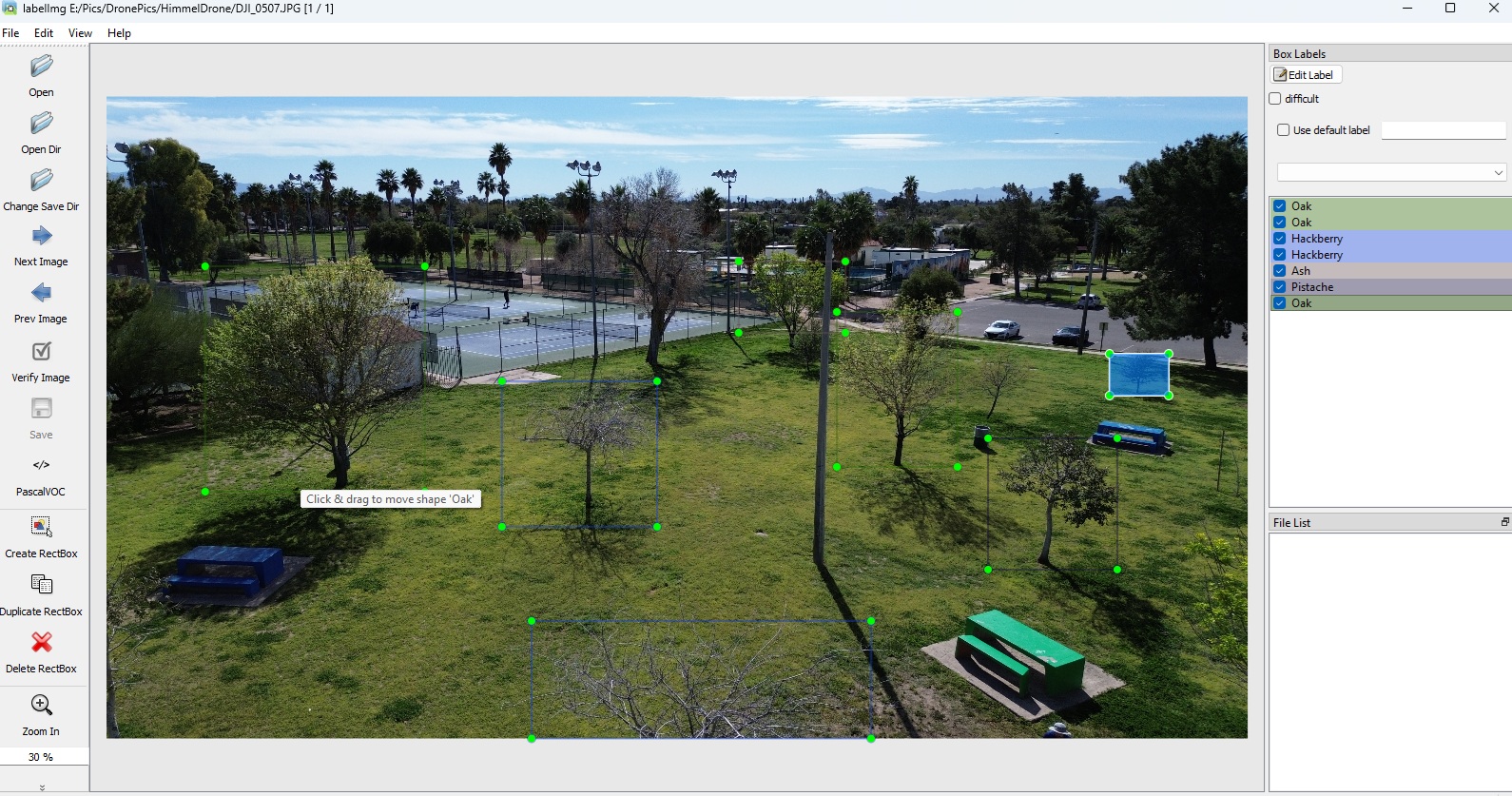
The training data for this project is labelled using the python module LabelImg. LabelImg allows three different annotation types; we are using the PASCAL VOC format.
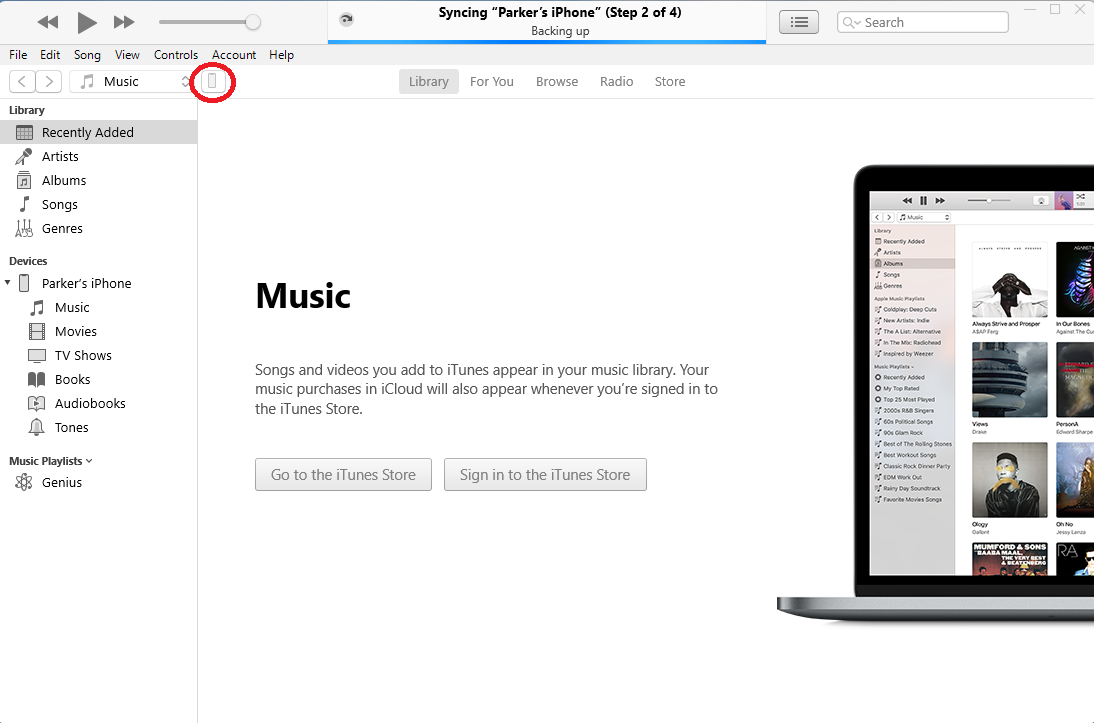
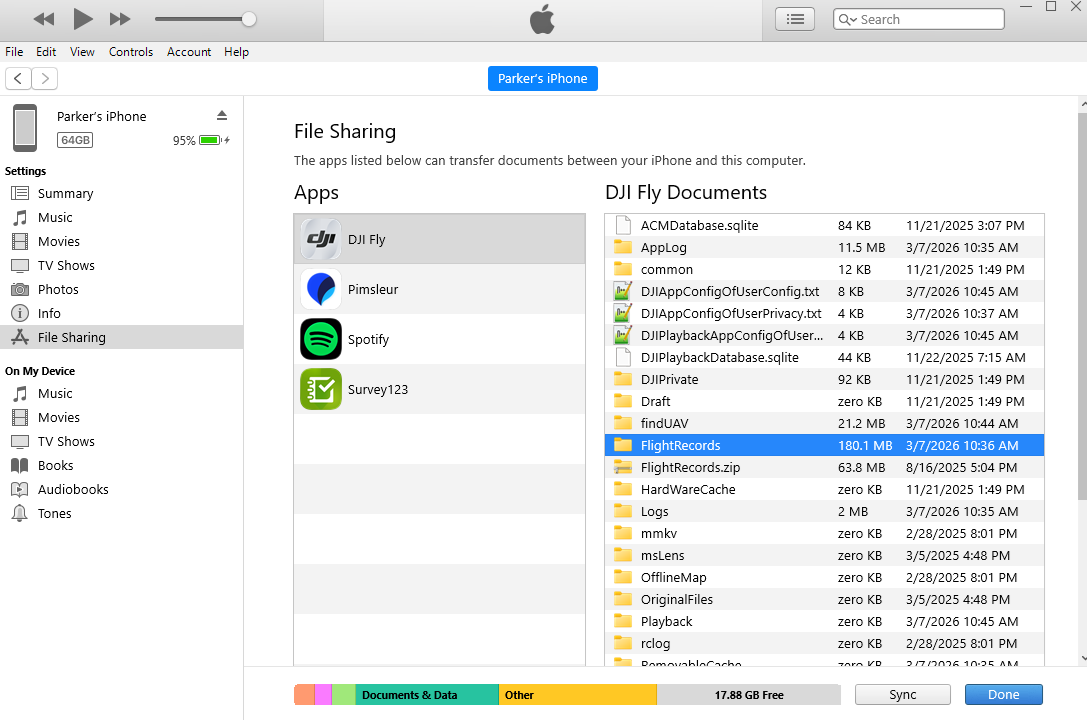
While it is simple to extract video or images the drone produces using an SDA card, extracting the flight logs is less straightforward. The path we have used requires iTunes as an iPhone is used as the drone controller during flight. The images below indicate the steps needed to extract the logs.