Layout is one of the essential substrates of the computing world. It is also one of the hardest to get right.
For decades, developers have depended on browsers to handle it. But browser layout technology has not seen a significant upgrade in decades. Everything else got faster, but the part that handles layout remains a single chef working the kitchen alone.
And that chef, in the age of AI generative UIs, where content arrives without warning and surfaces have to compose themselves on the fly, is overwhelmed.
Enter Layoutmaster.
Try it live: cosmiciron.github.io/layoutmaster
Watch the full demo UI:
While the browser's chef is still taking orders one at a time, Layoutmaster is like SpongeBob going absolutely mad in the kitchen. For example, it takes a novel with more than 80,000 words and creates 370 pages from it. Not just any pages, but desktop-publishing-grade layout with advanced typography, widow/orphan control, and dynamically generated headers and footers. And it does this in 755ms and places the fully searchable, selectable text on a single HTML "wall" in 31ms on a...
base Pixel phone!
Try this with your browser and DOM on your shiny MacBook Pro, you will still fry it. So don't.
Let the master handle layout, and your browser will thank you.
Now you ask - how?
Two words: game engines.
For decades, while layout technology stayed pretty much stale, game engine technology advanced enormously. Layoutmaster comes from that lineage. It is the world's first layout engine with game engine DNA - and that is where the insane speed comes from.
Put simply, the master does not see text as sequential streams of characters or layout as a pile of complex conditionals. It sees actors, collisions, terrain, constraints, viewports, and deterministic updates.
Under its tiny browser API is a deterministic 2D spatial simulation engine for layout - Content enters a "world", collides with constraints, flows through regions, avoids terrain, splits across viewports, and settles into exact coordinates.
And that - is where the master gets its superpowers.
form(), fit(), plan(), flow(), pour(), and produce()
These are the six mantras (APIs if you like, but the master prefers mantras) of the Layoutmaster. Do not be deceived by their overwhelming simplicity. These six verbs can solve a world of complex layout challenges and unlock possibilities you could only dream before - precisely none of which browsers could do without rebuilding DOMs, thrashing layout, and making everyone miserable.
import {
  form,
  fit,
  plan,
  flow,
  pour,
  produce,
  exclusion
} from "@layoutmaster/layoutmaster";
I know, you count seven. We will get to that later. Just trust the master.
The most fundamental question in layout. You have content and a width. You want
to know what happens. form() gives you the pieces and the height. No
rendering required. No DOM consulted. No feelings hurt.
const result = form("Layout is data.", {
  width: 320,
  fontFamily: "Georgia, serif",
  fontSize: 18,
  lineHeight: 1.4,
  direction: "auto",
  lang: "en"
});

console.log(result.height);
console.log(result.pieces);Boxes have lids. fit() is for when overflow matters: what consumed the space,
what could not, and what needs to go somewhere else. The master accounts for
every character. Nothing disappears quietly.
const result = fit(longText, {
  width: 360,
  height: 240
});

console.log(result.content.consumed.text);
console.log(result.content.remaining.text);Sometimes you are not asking one layout question. You are asking the same layout
question again and again at different widths, heights, or targets. plan()
captures the content and base intent once, then lets you call form(), fit(),
or flow() from that plan.
const chapter = plan(longText, {
  fontFamily: "Georgia, serif",
  fontSize: 14,
  lineHeight: 1.45
});

const narrow = chapter.form({ width: 260 });
const wide = chapter.form({ width: 420 });
That is what the Book Masonry demo uses. Each card's title and body become planned layout intent; resize the wall, and the master solves fresh geometry without re-authoring the same content from scratch.
Magazines and newspapers have known for centuries that content does not always
fit in one box. flow() carries text through multiple regions and tells you
exactly what landed where. Multi-column layouts, split panels, magazine spreads
- the master handles the handoff.
const result = flow(longText, [
  { width: 260, height: 320 },
  { width: 260, height: 320 }
]);

console.log(result.placements.map((p) => p.pieces));Not every layout surface is a box. pour() fills text inside any shape - circles,
polygons, image silhouettes, arbitrary geometry. Hand it a shape, hand it text.
The engine solves it. You paint it.
const shape = exclusion.circle({ x: 40, y: 40, radius: 140 });
const result = pour(longText, shape, {
  width: 360,
  height: 360,
  fontSize: 16
});

console.log(result.pieces);This is the big one. Hand the master a document and it comes back with publishing-grade pages, each carrying its own pieces, line guides, and occupied height. One call. Every page solved. The HTML Atlas demo - 370 pages of a novel, laid out and painted as real HTML - runs on this single function.
const result = produce({
  elements: [
    { type: "p", content: "A document can become engine-authored pages." }
  ]
}, {
  width: 612,
  height: 792,
  margins: { top: 72, right: 72, bottom: 72, left: 72 }
});

console.log(result.pages.length);Here is that "seventh" element.
Remember, the highest virtue is like water. Text in Layoutmaster is like water. It fills, it bends, it flows, and it navigates around any obstacle you place in its path. Those obstacles are called exclusions - and they are one of the master's finest tricks.
Exclusions are reusable spatial geometry. Build them from primitives or sample
them directly from image and video alpha channels. Pass them as obstacles to
form() and fit(), or flip them inside out and use them as containers for
pour(). They are serializable and replayable - compile the geometry once, use
it everywhere, store it as JSON, replay it without the original source.
exclusion.circle({ x, y, radius, gap });
exclusion.rect({ x, y, width, height, gap });
exclusion.ellipse({ x, y, width, height, gap });
exclusion.polygon({ x, y, points, gap });
exclusion.assembly({ x, y, parts, gap });
exclusion.fromAlphaChannel(alpha, width, height, options);
exclusion.fromJSON(savedData, options);
Assemblies are crude composed fields: circles, rectangles, ellipses, polygons, and line/capsule helpers merged into one obstacle. That makes them a good fit for stick figures, mascots, diagrams, dragons, and other programmable shapes where speed matters more than perfect contours.
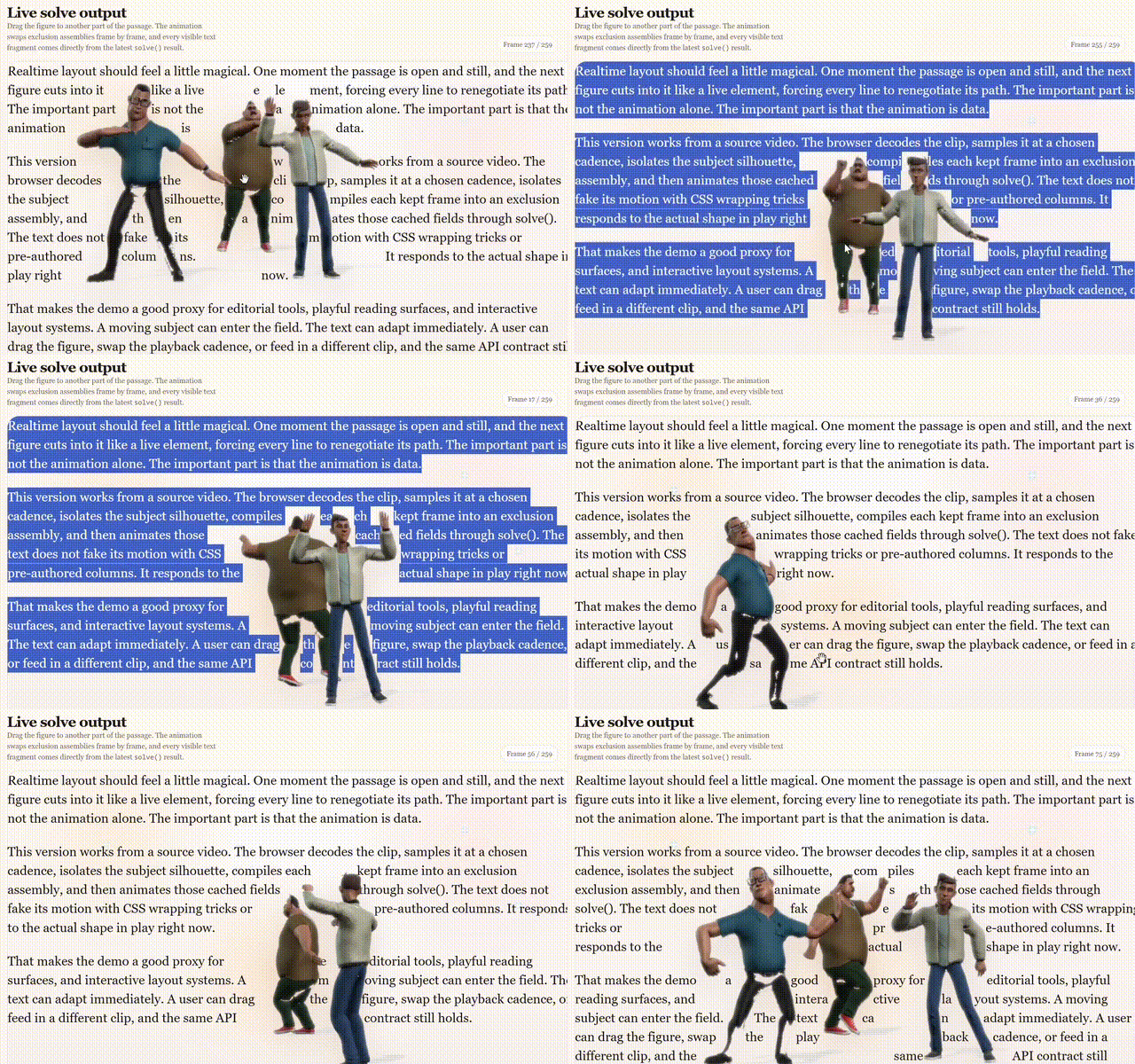
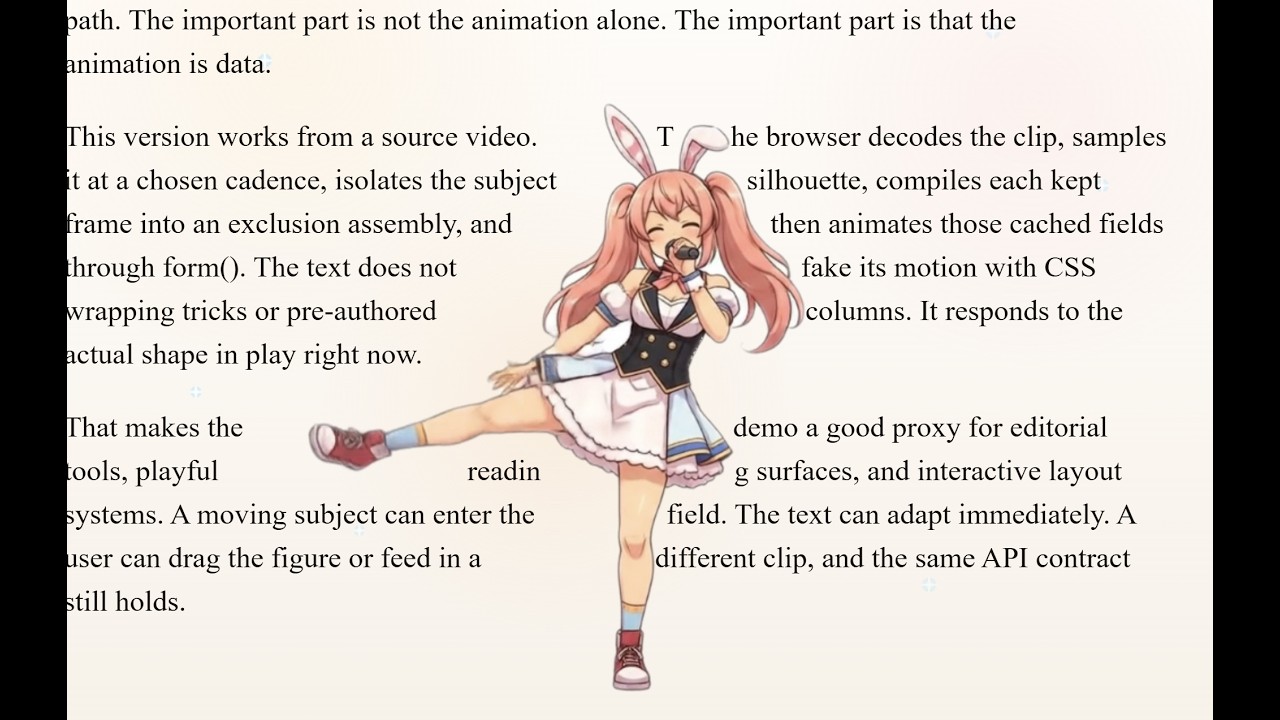
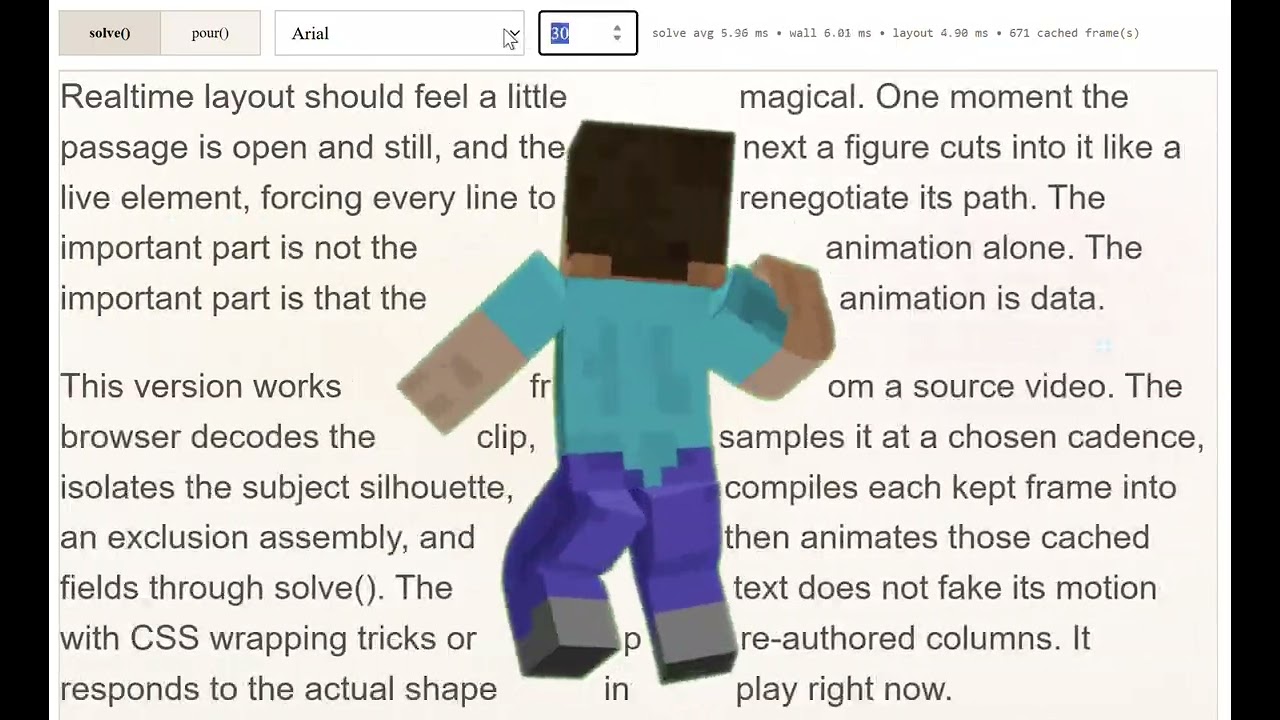
The dancing text demo builds exclusion assemblies from video frames -
671 cached frames from a single mp4 - and animates them through form() at
24fps. The text renegotiates its path on every frame around the actual shape
of the figure in motion.
No CSS tricks. No pre-authored columns. No browser screaming at you in distress.
Browser layout is fast, very fast. The people who claim their stuff is 600 times faster are lying, big time.
But Layoutmaster is just as fast, creating usual layouts just as beautifully and quickly as the browser would, so you can use it as a replacement for browser DOM-based layout on regular stuff without guilt. Mind you, the browser's layout engine is written in C++ with direct access to font machinery and rendering internals. So the mere fact that the master hangs with it nicely tells you it is punching above its weight.
But David would not have become a legend if all he had done was throw one rock.
The HTML Atlas demo takes a long manuscript (~80,000 words) and turns it into a wall of real HTML pages. Not canvas. Not screenshots. Searchable, selectable, highlightable text.
Measured on a MacBook Pro M4 in Safari:
Layoutmaster:
Oasis: The Fabric of Fate | 334 page(s) | 6838 piece(s) | produce 363.0 ms | render 10.0 ms

DOM + W/O:
364 pages | 6484 piece(s) | parse 3.0 ms | paginate 3115.0 ms | wall 17.0 ms
What you are looking at is what happens when the task becomes a little more serious than just wrapping text into paragraphs: pagination, headers and footers, widow/orphan control, and on-the-fly page number calculations.
The master is already more than 8 times faster. And it is barely in second gear. Its VMPrint engine is made for stuff ten times more complicated than this, but let's not go there - it would turn into an unfair fight.
The second test is not about a benchmark table. It is about what happens when the layout has to keep changing while the user is changing the available space. So we recorded it.
Watch the resize stress test:

The test is a masonry wall made from the same book content. Each chapter becomes a live card.
Layoutmaster uses fit() to solve the text pieces, packs the cards,
and paints the returned geometry. The browser version uses ordinary DOM/CSS flow.
As shown in the video, Layoutmaster keeps recomputing the whole wall in roughly the same bounded range - around 400ms for the 300+ card case - and snaps into the new geometry as the window changes. Resize it slowly, resize it quickly, resize it violently: the solve remains explicit. Given a width, the engine returns a wall.
The browser version does it in 4,000ms, which isn't so bad. Then it falls apart when you grab its window and resize. The layout goes into a frenzy and cannot settle until some 20+ seconds later. Try harder, it can take even minutes to recover.
That's the whole point -- when layout becomes highly dynamic and intense, it can overwhelm the browser. That's why we propose a different kind of solution:
Leave the job to the specialist -- let Layoutmaster handle the layout for the browser, and let the browser handle everything else.
At this point you probably picture the master as a burly man holding a Gatling gun torn from a tank. Nope. A two-foot-tall humanoid with green skin, large eyes, pointy ears, and wearing a robe - that's more like it.
Seriously, the package packs to about 257 kB on npm - 193 KiB gzip at runtime, the embedded engine included. No other dependencies.
So like the master (the other one) says: Smaller in number are we, but larger in mind.
npm install @layoutmaster/layoutmasterLayoutmaster is specifically built for the browser so it requires the Canvas API to be available. If you need non-browser solutions, head over to the sibling project VMPrint.
- src: the public package surface
- engine: the embedded engine copy built locally
- demos: browser demos and showcases
- demos/helpers: copyable helper source used by demos
- documents: API, rendering, helper, and product notes
- CONTRIBUTING.md: local setup and project boundaries
Useful reading:
npm run serveThe server starts at http://127.0.0.1:4173/. Open
http://127.0.0.1:4173/demos/ for the demo index.
The public demo site runs the published npm package through an ESM CDN, so it matches what package consumers actually install.
Current demos:
form: width-bounded fragments and returned piecesfit: bounded layout with consumed and remaining contentflow: continuation through multiple targetsbidi: native browser BIDI rendering beside Layoutmaster's solved piecespour: text contained inside a primitive shapepour-image: text contained inside image-derived alpha geometrypieces: minimal piece and baseline inspectionexclusion: live primitive exclusion fieldsexclusion-assembly: animated primitive assembly rig with hideable visual layerexclusion-image: image alpha as wrap geometryhtml-atlas:produce()rendered as a searchable, selectable paginated atlashtml-atlas-dom: DOM pagination baseline with widow/orphan pass enabledmasonry-book: chapter cards packed from Layoutmasterfit()piecesdancing-text: animated exclusion fields from video frames
The demos use browser import maps, so serve them from the repo root. Opening the files directly from disk is an excellent way to meet the less charming parts of browser module loading.
The master keeps its package small. Browser image sampling, video frame extraction, and HTML piece painting live as source files under demos/helpers. They are official examples, not package exports.
Copy them when they help. Change them when your app needs something different. The deal is simple: helpers may prepare explicit inputs or paint returned results. They do not get to make up layout geometry. That is the master's job.
Every layout decision belongs to the engine.
- engine owns layout
- wrapper owns normalization and result projection
- helpers own adapter glue
- demos own inspection and presentation
- applications own rendering
If browser code starts inventing line breaks, baselines, page geometry, or continuation behavior, it has wandered into engine territory. Gently escort it back.