When "lock" is engaged on main screen, CH1, CH2, CH3 and CH4 are "frozen", i.e. not affected by controls that affect them. The "freeze" value is the last value that was on the channel before lock was activated.
At the same time, they can affect other channels via (for example) ProgMIX.
Example:
- CH2 Throttle is ProgMIX´d to CH5, and CH5 is driving emulated engine sound module.
- Throttle trigger is in neutral, CH2 is 0%.
- Lock is activated.
- Throttle trigger is pressed, but CH2 value remains at 0%.
- CH5 mix is still engaged, CH5 value goes up, simulated engine sound module produces revving sound.
Example:
- 4WS vehicle with Winch.
- Configured using standard functionality.
- Winch is CH3 via Winch Mix.
- Rear axle servo is CH4 via 4WS Mix.
- CH1 trim is set to 5% in neutral.
- CH2 is 0% in neutral.
- CH3 is 0% in neutral.
- CH4 trim is set to -7% in neutral.
- Lock is activated.
- Steering, throttle and winch inputs are ignored, values stay at 5% / 0% / 0% / -7%.
I am especially proud of an idea to freeze values to allow for trims etc. to be valid even in lock, and for tricks I did to implement that.
When Cruise Control is engaged (both Mode 1 and Mode 2 are supported), and CC throttle is greater than 0%, positive throttle trigger pull makes throttle higher.
Example:
- Cruise Control is set to Mode 2 (preset value) and preset source is VR-6.
- You engage CC, and set throttle to 60% with VR-6.
- If you pull throttle trigger, and go past 60%, throttle will increase accordingly.
- If you let throttle trigger go, throttle will go back to CC setting, 60%.
I found this behavior quite natural on all actual cars I drove, and it has same use case in RC as in real life. It is a way to overtake a vehicle, or catch up to a vehicle, without changing overall speed.
Improved translations for EN and DE:
- No scrolling.
- Reduced ambiguity.
Transmitter battery display option for four NiMH cells:
- Range: 0% at 4.0 volts to 100% at 5.6 volts.
- Lower possible transmitter voltage alarm setting down to 4.1 volts.
Reference table voltage -> shown percentage
| Type | 0% | 100% |
|---|---|---|
| 4AA | 4.0 | 6.0 |
| 2SLP | 6.0 | 8.4 |
| 3SLP | 9.0 | 12.6 |
| 4NiMh | 4.0 | 5.6 |
Previous Versions
Version 0.7.0 was never publicly released to any serious extent.


Symptoms include "USB device error" or the device's flash drive not appearing. Try different cables, one by one, until one works.
If your current firmware version is lower than 1.1.5 (stock or modded), you need to first update to the stock version 1.1.5.
The process depends on your current version. Please refer to the official video and website for detailed instructions:
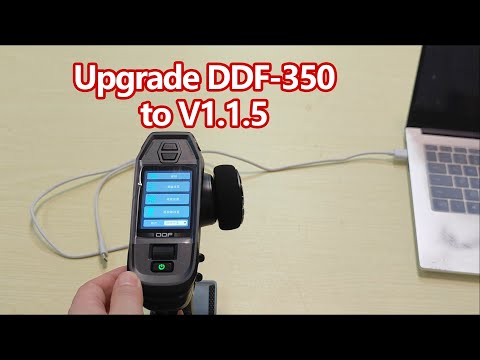
Official DumboRC site with firmware for DDF-350
Once successfully updated to 1.1.5, return here. You will not need to go through the entire boot update process again.
DDF.bin. Do not reuse files altered by previous mod releases.
- Start with the 1.1.9 firmware file,
DDF.bin:⚠️ Always apply the patch to a clean original binary.⚠️ - Applying the patch to a previously patched binary will result in glitches.
- This mod works ONLY with the 1.1.9 download.
- Back up the official 1.1.9 files:
- DumboRC removes previous firmware versions from their website. If you ever want to revert to a specific version, or if I lag behind on supporting new versions, your only reliable source of original files is your backup.
- Download the tool LunarIPS here:
- I cannot distribute the official firmware but can distribute my ROM hacks.
- Download the latest
.ipsfile:- Visit the latest release.
- Under "Assets," find and download the
.ipsfile.
- Use LunarIPS to apply my "Romhack" to the clean original 1.1.9 binary file:
- LunarIPS modifies the binary file "in place." Ensure your backup remains intact.
- Make sure you are applying it to the
.binfile, not the.zip. - Ensure you are applying it to the firmware file, not any of the boot files.
- If you cannot see the
.binfile in LunarIPS, change the filter toall files / *.*.
- Flash the modified binary file as described in the official instructions. For convenience:
⚠️ Remove the batteries from your transmitter.⚠️ - Connect the transmitter to a computer using a USB cable with data capabilities:
⚠️ The transmitter is very specific; not all cables will work. Try several until one does.
- Press and hold the CH3 and CH4 buttons, then turn on the transmitter using the power button.
- The screen will flash "black," and you will hear a chime. Release the buttons.
- On your computer, a new USB flash drive will appear.
- Run the official
.batfile to flash the image:- Manual copying does not work because Windows creates "System Volume Information," disrupting the process. The official script handles this.
- After the
.batfile completes, "Safely Eject" the flash drive. - Unplug the transmitter.
- Reconnect the transmitter or insert the batteries.
- Turn the transmitter on. The new firmware will flash automatically, and you should see the changes.
- Enjoy! Drop a star on this repo or "watch" it for updates. These numbers mean a lot to me and let me know that my work is appreciated by the community.
- If you found this useful, consider supporting via Ko-Fi or GitHub Sponsorship (one-time or monthly).
- Four NiMH 0% threshold of 4.0V is not ideal:
- It aligns with four AA cells and the lowest alarm voltage.
- The transmitter likely will not fully function below 4.0 volts.
- The lowest voltage setting appears to be 4.1 volts, controlled by the bootloader. I will not modify the bootloader (the part that initializes the transmitter).
I provide no guarantees of safety and am not responsible for any damage.
I test everything on my own transmitter, so I have "skin in the game." However, I cannot predict every situation.
Avoid performing upgrades the day before important events.
With the help of ChatGPT, I developed Python scripts to dump and insert UTF-8 strings. While some strings are too short, unrecognized, or have incorrect offsets, the process is relatively smooth.
I recommend creating or modifying a "translation" file instead of editing raw binaries directly. Tracking changes in raw binaries can quickly become chaotic.
The current EN translation is 98% satisfactory. The DE translation removes scrolling; suggestions are welcome. I presume the CN translation is good. If you'd like to improve FR, create an issue, and we’ll collaborate.
Starting with version 1.1.3, I began publishing my Ghidra projects publicly. These allow you to follow my changes or make your own collaboratively.
It is still not Git-based, since Git replaces common server storage. As such, if you want to do something, let me know in the issues, I will make sure to upload my latest changes and take a break to allow your changes to pass.
You will need Ghidra. I use Ghidra 11.3.2 Public
Project started on earlier version of Ghidra, which will not be able to open newer versions. Update accordingly.
You will need to set up ./ghidra_repositories folder of this repo as ghidra.repositories.dir in server/server.conf.
You will need to disable authentication in server/server.conf.
-
Find
wrapper.app.parameter.1=-a0, comment the line with#, change.2to.1on next parameter. -
For me it now looks like
#wrapper.app.parameter.1=-a0
wrapper.app.parameter.1=${ghidra.repositories.dir}
You can set up user name as user.name / VMARGS=-Duser.name= in support/launch.properties. Or by default your username is OS user name.
Add your username to ghidra_repositories/users of this repo, like YourName:*:*. I will be honored to not be alone there.
I run server in console mode, since I do not intend to use it as actual network server.
Once server is running, start Ghidra tool itself.
Click "File", "New project", "Shared Project", Server Name "127.0.0.1" (I presume you run server locally in console), "Existing Repository", "ddf-350-113".
Select folder to store files locally.
To start editing, RMB .bin file and do "Check Out".
After you did some changes and want to make a save, do "Check In...".
Once you are done want want to share changes back, do "Undo Checkout". Then close Ghidra, then stop Ghidra server with Ctrl-C.
After that commit all files in git, push.
To test the changes, export .bin file as "Raw Binary" to translation folder. If you want translations, use input.bin, otherwise just use DDF.bin.
To add translations to input.bin run import_strings.py.
Run update.bat that is just verbose translated official update script. Process is as usual.
If you flashed garbage, just flash working version again.
Add ./ghidra_scripts to Ghidra script manager to get script(s) from this repo.
rgb888_to_rgb565_color_visualizer.py - sets background color of calls to RGB888_to_RGB565 according to passed values. Function name must be set manually, should be set in 1.1.9 binary.
If you find translation issues or better wording choices, let me know. My primary goal was to eliminate scrolling, which caused me eye fatigue and headaches, and to update outdated terms.
For feedback, create an issue and include a picture and your suggested text.
I am not associated with or endorsed by DUMBORC, RadioLink, or any related companies.
All firmware and hardware are their property. I only distribute my modifications, as permitted under the concept of derivative works.
